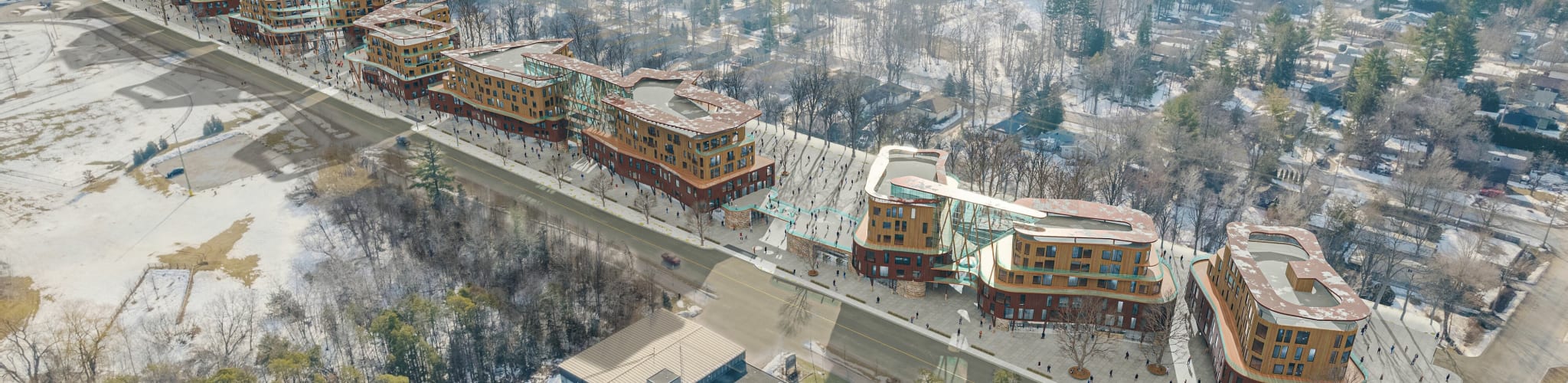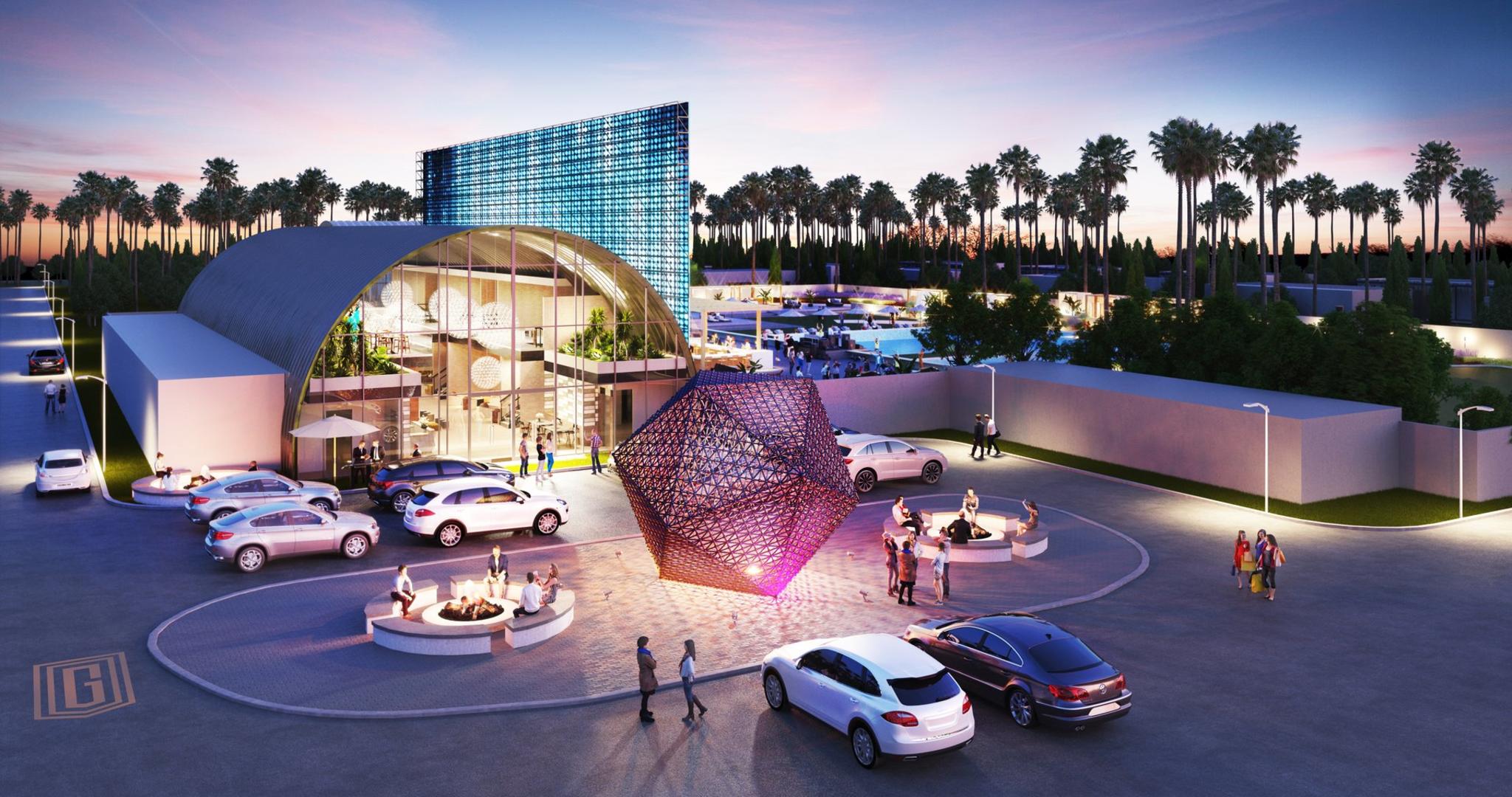

3D Rendering Pricing Guide | What Should a Render Cost?
WHAT SHOULD 3D RENDERING AND ARCHITECTURAL VISUALIZATION SERVICES COST?
About our 3D Rendering Pricing Guide
3D rendering pricing can be a confusing space. Prices range from under $200 to over $10,000 per image depending on the studio, the quality tier, and the complexity of your project. This guide — updated April 2026 — breaks down what you actually pay for at each price point and helps you budget realistically for your project. For RealSpace 3D's tiered pricing, see our house rendering tiers starting at $399 per image, or reach out directly for a comprehensive quote on your next project.
Last updated: April 2026. Written from 19+ years of RealSpace3D studio experience.
Types of 3D Rendering Services
The single most significant factor when it comes to determining the cost of your 3D rendering project is the type of rendering service you choose. There's a big difference between rendering a small home and a high-rise tower, and between a conceptual sketch and a photorealistic marketing hero shot. If you are unfamiliar with the service types below, we suggest you visit our service pages for more information regarding your specific project. These pages will help you understand the types of projects that fall into each category.
Types of 3D Rendering and General Pricing (2026)
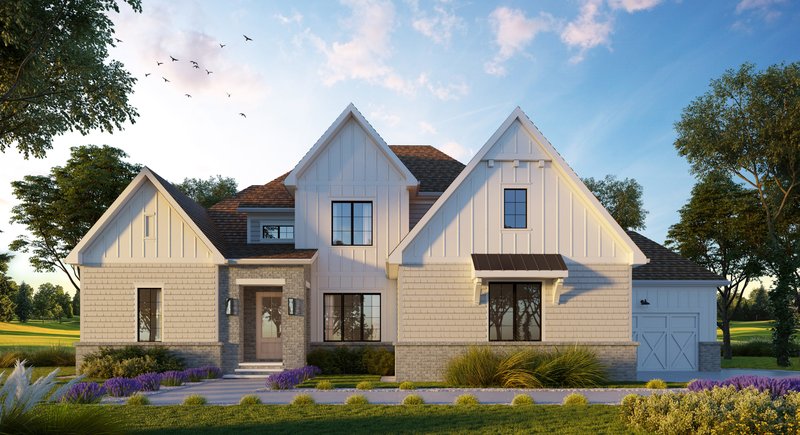
RealSpace Presentation tier: $399. Marketing tier: $799.
Interior Residential Rendering
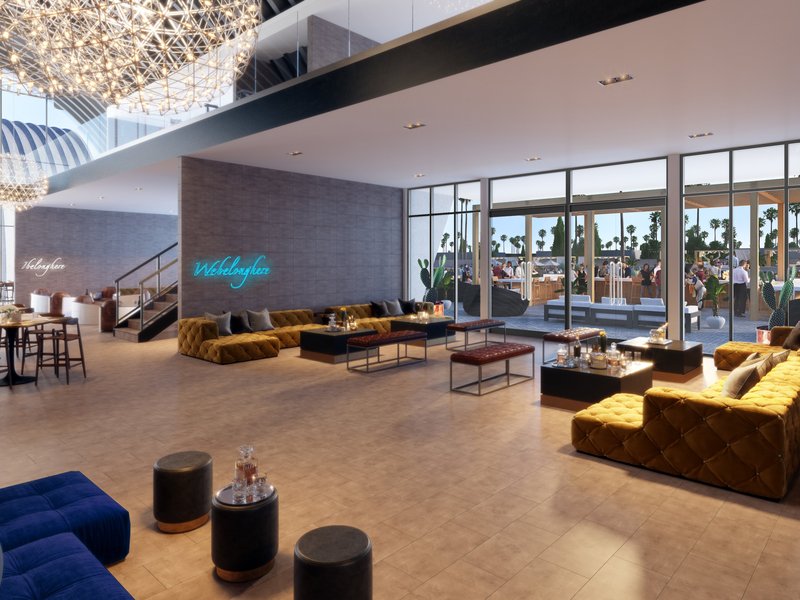
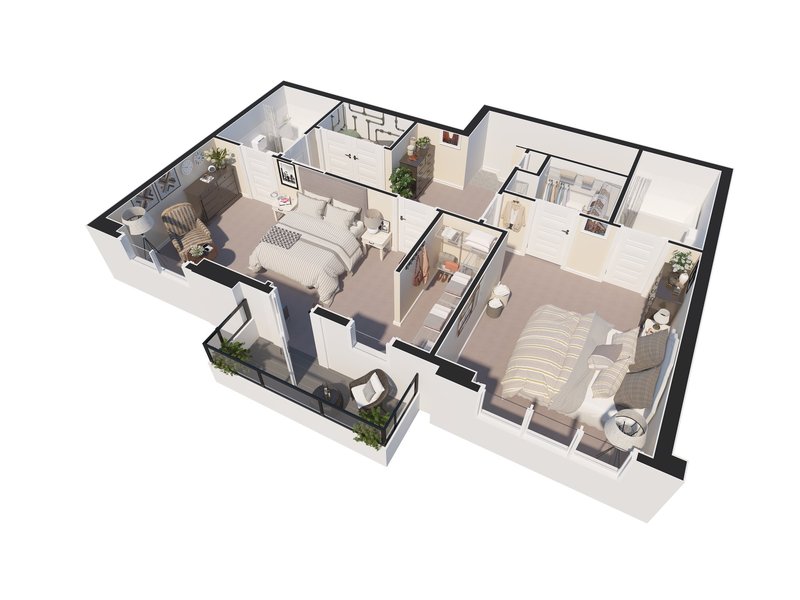
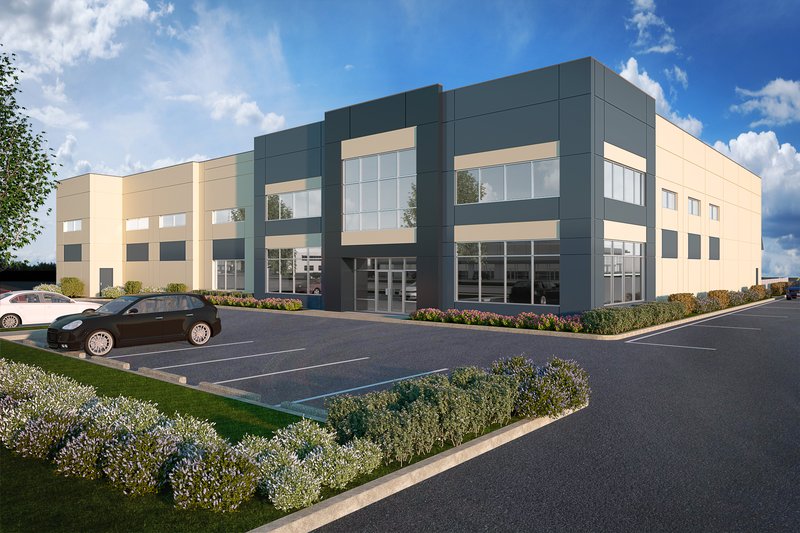
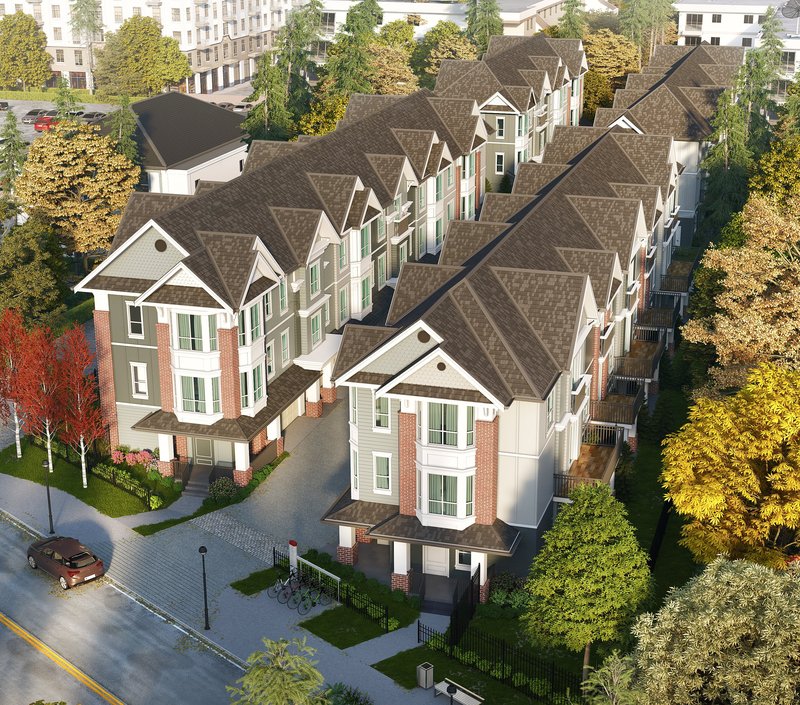
Commercial Interior Space / Amenity Area Rendering
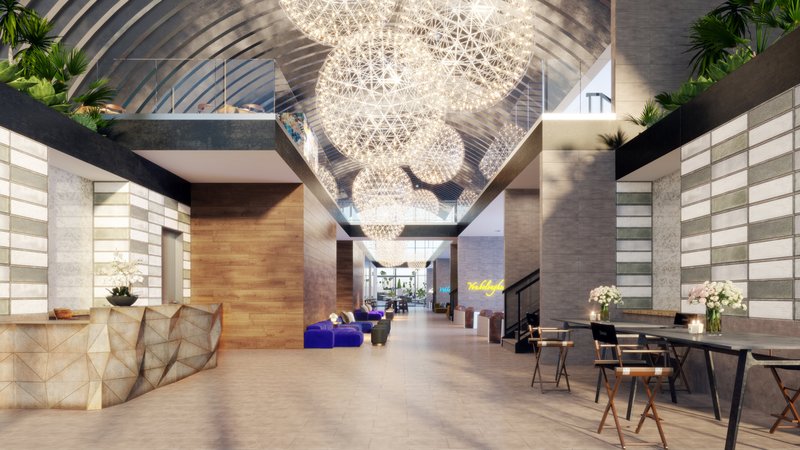
Price Range: $4,000-$12,000 per finished minute
Pricing Strategies - Per Image or Per Project
1.) Per-image pricing
With per-image pricing, you are charged a fixed price for each rendered image, or a scalable price depending on the number of renders you purchase. This pricing model works well for smaller projects and for clients who know exactly how many views they need upfront.
For example, if you need a basic residential house exterior rendering, the differences from one project to another are not significant, so rendering companies can often charge a flat rate for this type of work.
Scalable per-image pricing: the cost to render one image is usually higher per image than if you purchase multiple images from the same project. The initial setup for one rendering is intensive — building the model, the environment, the lighting, the materials library. Once this setup is complete, additional views become much more cost-effective. Bulk orders of 4+ views typically save 15-30% per image compared to one-off pricing.
2.) Per-project / Per-scene pricing
For this type of pricing, you provide the details of your project to a company and they send a customized quote based on your needs.
This pricing model is more typical for larger-scale 3D rendering projects that include several different elements — animation, 3D floor plans, and multiple rendered images across one coordinated scope.
When requesting a quote for a large-scale project, always ask about volume discounts and what's included (revisions, rush fees, print-ready resolution).
Different 3D Architectural Rendering Price Points – $99 to $10,000+, what's the difference?
Bottom Of The Barrel – Cheapest 3D Rendering Pricing: $99-$200 Per Image - buyer beware
With the global availability of 3D rendering technology, the cost of 3D rendering can vary drastically. Many rendering firms in less developed countries offer cheap options by taking advantage of relaxed regulations and lower labor costs.
Working with 3D firms at this price point can pose some problems, including language barriers, time-zone issues, stylistic differences, and inconsistent quality. This isn't to say there aren't excellent 3D artists all over the world — but firms offering bottom-of-the-barrel pricing tend to focus on quantity rather than quality.
Architectural images at $99–$200 per image are best reserved for situations where the goal is simply to conceptualize ideas or test designs on a personal project. Many of our clients have tried the low-end option first, only to realize that "you get what you pay for" and end up commissioning proper work afterwards.
Times when the cheapest pricing is best:
When the project's budget is the primary concern, and final quality and personal time spent micro-managing the project are not issues.
Things to watch out for:
- Look for misleading portfolios:
- Do the images resemble realistic client projects or were they created solely to make the portfolio look good?
- Are there only 5 or 6 nice renders followed by many poor-quality renders?
- Are there only small images that can't be expanded?
- Check for fine details:
- Soffits
- Nice appliances
- Detailed windows
- Landscaping
- Trim
- Siding
- Nice interior design and detailed furnishings
- Be aware of possible hidden costs:
- Do they charge extra for higher resolution images?
- What are the charges for additional revisions?
- What is their hourly rate?
- Consider the experience and credibility of the company:
- How long have they been in business?
- Do they have a physical address?
- Do they have genuine reviews?
- Will this company respect your timelines?
- Trust your instincts:
- Does something feel "off" or "too good to be true"?
BASIC 3D RENDERING PRICING: $300-$400
This price range is a clear step up from bottom-of-the-barrel pricing and typically offers a more professional experience. Most projects in this range are outsourced but should be professionally managed by someone local or with exceptional communication skills.
At RealSpace 3D, projects in this price range are managed locally by experienced 3D artists who can modify 3D files or correct mistakes in Photoshop on the spot. We work with talented long-term contractors, which lets us maintain high quality while offering competitive pricing.
RealSpace's Presentation tier ($399 per image) sits in this range — designed for builders, plan sales, permit submissions, and internal design communication. Polished, professional visuals without photorealistic overhead.
One of the best applications for this type of rendering is a basic exterior house render.
TIMES WHEN LOW-END PRICING IS BEST:
- When the project's budget is the primary concern and final quality needs to be very good but doesn't have to be top-tier
- For gaining approval from regulatory bodies, basic style planning, or real estate pre-sale
- These services are excellent for architects, realtors, home builders, and real estate marketing agencies
- When you're a homeowner looking to plan out your DIY renovation
THINGS TO WATCH OUT FOR:
- Do they have an extensive portfolio with projects that resemble real clients' work?
- How long have they been in business?
- Will language and design style be an issue?
- Do they offer any additional quality beyond the "bottom of the barrel" pricing option, or are they simply priced higher?
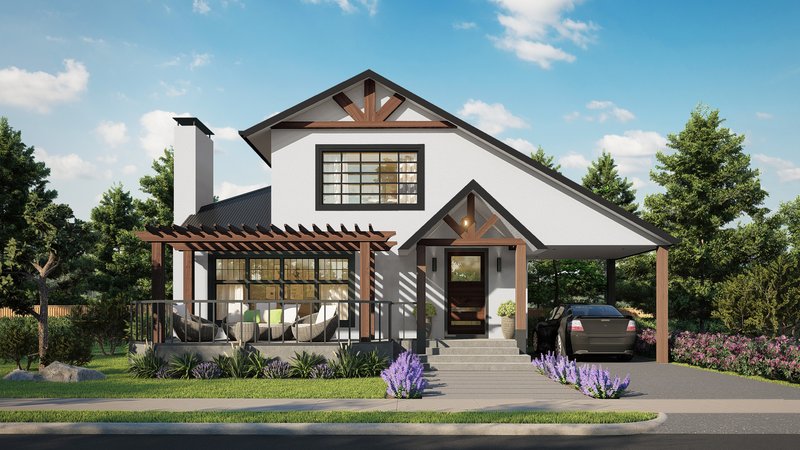
Here's a quality example of our 'Basic Pricing' Residential Renderings :
MID LEVEL 3D RENDERING PRICING $400-$3000
Mid-level pricing is the most common option for developers, architects, real estate agents, and designers working on high-end homes and medium to larger-scale rendering projects — such as townhouse renders. This level of quality and price is the bread and butter of RealSpace3D. We focus on creating great images without exhausting your entire marketing budget.
For most buyers it can be challenging to differentiate between an "alright" render and a "great" render without a direct comparison. The best way to judge render quality is to compare the company you're considering against the work your direct competitors are using. Look at presale projects in your market — the rendering style on the best-performing developments is the bar you need to meet or exceed. At a minimum, the images from your prospective studio should be on par with your competition; ideally, they should clearly outperform it.
RealSpace's Marketing tier ($799 per image) sits in this range — our most popular option for sales-focused renders with photorealistic depth, curated landscaping, and print-ready delivery for brochures and signage.
TIMES WHEN MID LEVEL PRICING IS BEST:
- When you need your project to stand out among the rest
- For professionals:
- Architects
- Developers
- Real Estate Agents
- Marketers
- Designers
- The purpose of the render is for sales, design planning, regulatory approval, or conceptualization
- A few hundred dollars is not a lot in the big picture:
- Could more impressive imagery help you sell faster?
- Could it convince a client or regulatory board to proceed?
THINGS TO WATCH OUT FOR:
- Can the company justify its higher price point over a lower-end render?
- Do they appear knowledgeable and professional?
- Will the company provide images similar to what they advertise?
- How long have they been in business?
- Do they have testimonials and/or reviews?
- Do they meet or exceed the rendering quality of your competition?
- What is their turnaround time?
- Are they local or do they offer responsive communication during your business hours?
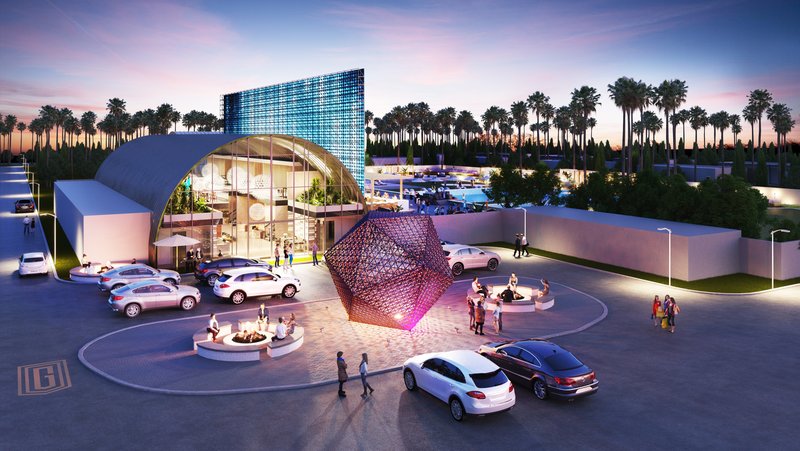
Here's a quality example of RealSpace3D's "Mid Level Pricing" Renderings:
HIGH-END 3D RENDERING PRICING – MOST EXPENSIVE: $3,000-$14,000+
High-end 3D rendering pricing is usually sought by large established corporations and developers where value is essential but top-tier quality takes priority. These renders are not for everyday clients — most budgets don't allow for this level of investment. However, when marketing a new high-rise development or major commercial project, branding and perception play a massive role. Tens of thousands of dollars on a $100 million project are a drop in the bucket, especially when these images could be responsible for hundreds of pre-sales or be the difference between approval and rejection.
One of the standard benchmarks used when describing how a client would like their marketing images to look is "I want this rendering to look like the Apple of (insert their niche)". What's often not mentioned about Apple's marketing is the team of experts and the countless revisions it took to reach that level, not to mention the price tag. The investment in high-quality branding has worked out quite well for Apple, but reaching that bar takes time, budget, and the right studio.
Times when high-end pricing is best:
- You are a top professional and want to work with top professionals.
- Spending tens of thousands is not going to break the budget.
- The purpose of the render is for sales, design planning, regulatory approval, or conceptualization on a grand scale.
- If you're an architect, developer, real estate agent, or designer but your project needs to turn heads and be the best by a wide margin.
- When you're willing to pay to work with the best companies in the industry.
Things to watch out for:
- Can the company reasonably argue that they are one of the best architectural rendering companies in your city, country, or the world?
- Have they worked on large landmark projects?
- Can you see a noticeable jump in quality and service that justifies the price?
- Have they collaborated with top brands in the industry before?
- Do they offer any guarantees associated with their render quality or turnaround time?
- Who are the rendering company's clients?
- Top local and international companies?
- Do they have testimonials or reviews?
- Are they willing to connect you with one or more past clients as references?
Are You Still Confused? Questions? Do you have suggestions for this guide?
Please feel free to reach out to us. We are always happy to hear from people. You can email us at info@realspace3d.com or for more contact options see our contact page.
The Two Main Factors That Affect 3D Rendering Pricing
1.) 3D Rendering Jobs
The main cost of a 3D rendering is the labor required. Generally, three professionals are involved in a 3D rendering project:
- Project Manager
- 3D Artist
- Post Processing / Photoshop Artist
Among these, the 3D Artist plays the most significant role and is the primary focus of our cost estimation.
What does the 3D Artist do in the 3D Rendering Process?
In order to create a render, a 3D artist needs to:
- Understand the plans and the client's vision.
- Create the model using 3D software.
- Texture the model.
- Set up the lighting.
- Set up the camera.
For more detailed information on these steps, please refer to our 3D rendering basics guide.
What increases the 3D Artist's labor costs?
The labor involved in a 3D render is not as straightforward as one might think. Skilled 3D artists can create highly detailed scenes in a short amount of time using the tools at their disposal. On the other hand, seemingly simple scenes might take much longer to create.
For example, creating a large and accurate aerial view of a forest can be done quickly using public topographical data and automated processes. However, modeling a single piece of equipment such as an electronic device with complex circuit boards and wiring, to exacting standards, could take several days or even weeks.
In many cases, the process can be sped up by using items from our asset libraries — furniture, cars, people, and finishes. The main factors that affect labor costs are the level of detail and the number of unique elements required.
Post Processing on 3D Renders Labor Costs
Once a 3D render is complete, most studios employ a Photoshop artist or graphic designer to touch up the image. Post-processing can be a minor or major part of the process. Some studios render a basic scene and then do most of the detailing in Photoshop. We take a more minimal approach to post-processing — while a studio could opt for no post-processing at all, there is usually some color tweaking or touch-ups required.
2.) Rendering Time
Rendering time refers to the amount of time it takes for a computer to create your image. The rendering time is directly related to the realism and level of detail required. There are, however, various techniques to add detail without significantly increasing rendering time.
As a client, you shouldn't worry too much about rendering time — that's the job of the rendering company. We provide the following information to help you understand why some projects may cost more and take longer than others.
What increases rendering time?
Depending on the rendering software, the number of light sources can have a significant impact on rendering times — which is why exterior scenes with a single sun and sky often render faster than complex interiors. Another factor is the level of detail in the scene, often called poly-count, which indicates the number of polygons used to model the scene. For more information, see Wikipedia's 3D modeling page.
A common element that significantly increases detail — and therefore rendering time — is foreground vegetation. Background vegetation can be optimized using billboards or sprites. You can learn more about this technique on our blog. Additionally, curved surfaces often require more detail, leading to longer rendering times.
Reducing rendering times
The most effective way to reduce rendering time is to minimize the number of revisions by providing detailed plans and specific feedback. Each revision requires some or all of the image to be re-rendered, so fewer revisions result in less total rendering time — and lower costs. At RealSpace, we generally offer lower prices for returning clients who can work efficiently with consolidated feedback.
Another significant factor in rendering times is the resolution. This matters most when creating animations, but it can still affect rendering time for still images.
Hardware and software's effect on rendering time
With continuous improvements in GPU rendering, real-time rendering engines, and rendering software, rendering time for still images has become a less significant factor in pricing in 2026 than it was a decade ago. However, rendering time for animations still plays a vital role in production cost, since every frame has to be rendered individually. You can learn more about our architectural animation services here.
Quality and Expertise
Quality plays a crucial role in 3D rendering — it directly impacts the final outcome and the impression the image creates. Quality covers level of detail, realism, lighting, textures, composition, and overall aesthetic appeal. Higher quality usually translates to more realistic and visually compelling results, but also more time and expertise.
At the lower end of the price spectrum, 3D rendering services can produce satisfactory results within a limited budget but often rely on pre-built assets, templates, and simplified techniques. The level of customization and uniqueness tends to be limited, and subtle cues — worn concrete, realistic foliage, accurate glass reflections — are often missing.
Higher-priced services invest more time in crafting custom assets, optimizing lighting and materials, and achieving photorealism. Skilled artists use advanced rendering engines and techniques to create images that closely resemble real-life environments.
The expertise and experience of the 3D artists involved has a direct impact on pricing. Senior artists with years of industry experience and strong portfolios command higher rates because they understand complex rendering techniques, composition principles, and visual storytelling. They also produce results faster with fewer revisions.
When selecting a rendering studio, review portfolios carefully, examine past projects in your specific building style, and read testimonials or client feedback. Higher-priced services typically offer a higher level of expertise, customization, and attention to detail — but that doesn't mean every project needs the most expensive option. Match the tier to your use case.
Value of 3D Rendering
The value of 3D rendering and architectural visualization services is hard to overstate for architectural projects, real estate marketing, and design planning. They consistently deliver strong return on investment when used for the right purpose.
The primary benefit is bringing designs to life before they are built. Architects, designers, and developers can visualize and communicate their ideas effectively, producing realistic, immersive representations of architectural spaces, interiors, landscapes, and urban environments. This visual clarity helps clients and stakeholders understand the project, make informed decisions, and provide useful feedback early — before costly construction starts.
3D rendering also enables comprehensive design exploration. Architects can experiment with different materials, colors, textures, and lighting conditions to refine the design. By presenting visual options, clients can participate meaningfully in the design process.
In real estate marketing, high-quality renderings communicate a property's architectural vision before it exists, letting prospective buyers envision themselves in the space, understand the layout, and connect emotionally. This drives interest, builds urgency, and increases sale likelihood.
Investing in high-quality rendering can significantly impact project ROI. Photorealistic renderings stand out in competitive pre-sale markets, create a positive first impression, and differentiate your project from others. The ability to effectively convey the design intent and the property's unique selling points can lead to increased sales, higher property values, and better market positioning.
High-quality 3D rendering can also save time and money during the design and construction phases. By surfacing design issues early — before they're built — rendering helps prevent costly errors and mid-construction changes. It helps identify potential conflicts, optimize spatial arrangements, and improve project efficiency.
General Client Considerations
When budgeting for 3D rendering services, a few factors will drive your final cost more than anything else:
- Complexity of the Project: Complex projects with intricate details, extensive animations, or large-scale environments require more time and resources. Flat modern facades are much cheaper than ornate Victorians; small bathrooms are cheaper than full commercial kitchens.
- Level of Detail and Realism: Photorealistic renderings command higher prices because they require more artist time and computational resources. Simpler conceptual renderings are more cost-effective. Match the level of realism to your actual use case — don't pay for photorealism you don't need.
- Project Deadline: Tight deadlines often require additional resources and expedited workflows, typically adding a 25-50% rush fee. Communicate your deadlines upfront so any rush costs are on the table.
- Revisions and Iterations: Most professional quotes include 2-3 revision rounds. Each additional round costs $100-$400. Major scope changes (new camera angle, new material palette) may trigger a partial re-quote. Consolidate feedback before sending it in.
- Quality vs. Cost Trade-Offs: Lower-priced options may provide satisfactory results but lack the detail, realism, or customization of higher tiers. Review portfolios and past work carefully before committing to a price tier.
- Obtaining Quotes and Comparing Services: Always request detailed proposals that outline the scope of work, deliverables, pricing structure, and any additional costs. Compare proposals based on your project requirements, budget, and desired quality levels — not just the bottom-line price.
- Communication and Collaboration: Clear, open communication with your rendering studio throughout the project is essential. Establish a good rapport upfront, discuss your vision, and provide feedback promptly.
How Clients Can Reduce Rendering Costs
Reducing the costs of 3D rendering projects is straightforward if you plan ahead. Here are six tactics that save clients 15-40% on typical projects without sacrificing quality:
- Define clear project requirements upfront. Clearly outline your requirements and objectives before requesting quotes. Studios that receive complete briefs quote 15-25% lower than those that have to ask follow-up questions. Vague briefs equal expensive revisions.
- Optimize the level of detail. Match the detail level to the actual use case. Internal-use renders don't need photorealism. Marketing-grade images do. Paying for photorealism you don't need is the most common over-spend in rendering.
- Provide comprehensive reference materials. Supply accurate reference materials including architectural drawings, 2D sketches, paint and material codes, and reference images. This minimizes time spent on revisions and ensures initial renders align with your vision.
- Batch your views upfront. Commission 4 views at once instead of 1 view now and 3 more "if the first one looks good". Volume pricing typically saves 20-30% versus piecing views together over time.
- Consolidate revision feedback. Collect all feedback from all stakeholders — client, architect, builder, marketing — into a single consolidated document per revision round. Avoid the "just one more quick change" pattern that doubles project costs.
- Plan realistic timelines. Avoid rush charges by setting realistic deadlines up front. Standard turnaround is 5-10 business days for a single view; multi-view projects need 1-3 weeks. Rushing typically adds 25-50% to the base price.
Prioritizing planning, communication, and consolidated feedback is the single biggest lever for keeping rendering costs in check without sacrificing quality.
Tips For a Successful 3D Rendering Project
A successful rendering project starts with effective planning, clear communication, and good collaboration between you and your rendering studio. Here are seven tips to keep your project on track:
- Define your project goals. Start by clearly defining the purpose of the rendering — architectural visualization, marketing materials, or design planning. Specify the desired style, level of detail, lighting conditions, and any specific elements that need to be highlighted.
- Choose the right rendering studio. Select a studio that aligns with your project scope and vision. Consider their portfolio, technical expertise, attention to detail, communication style, and responsiveness. A good client-studio fit is essential for a successful collaboration.
- Establish a clear timeline with milestones. Set a realistic timeline and communicate it to the studio. Build in checkpoints for revisions and feedback so progress stays on track.
- Provide a comprehensive project brief. Include architectural plans, reference images, material specifications, and any specific design guidelines. The more complete your brief, the better the first draft — and the fewer expensive revisions you'll need.
- Communicate openly throughout the project. Be proactive with feedback, clarify concerns, and respond to studio questions promptly. Silent stretches during an active project slow everything down.
- Collaborate on revisions constructively. Provide specific, actionable feedback — "move the camera 10 feet right" not "this doesn't feel right". Balance your feedback with the technical constraints of 3D rendering.
- Trust professional advice. Your studio has expertise and experience in 3D rendering. Consider their recommendations on lighting, composition, materials, and visual aspects that can elevate the final result — they often see things you don't.
By following these tips, you'll maximize the chances of a successful rendering project that meets your goals, achieves your vision, and delivers high-quality imagery that effectively communicates your design.
Frequently Asked Questions About 3D Rendering Pricing
Common questions we hear from clients about budgeting, revisions, turnaround, and choosing the right tier for your project.
How much should I budget for a house exterior rendering?
For a typical custom home (3,000-5,000 sq ft) with moderate detail, budget $500-$1,200 for a single exterior view at mid-tier quality. Multi-view projects (4 views) typically run $1,800-$3,500 total. For marketing-grade photorealistic quality, plan on $800-$1,500 per view. See our house rendering tiers for transparent starting prices.
Why do 3D rendering prices vary so much?
The same "exterior render" can take 8 hours or 80 hours of artist time depending on scene complexity, level of detail, revision rounds, and quality tier. A simple modern facade costs a fraction of what a detailed custom home with ornate trim and custom landscaping costs. The studio's location and experience level also impact pricing significantly.
Is per-image or per-project pricing better?
For 1-3 views, per-image pricing is usually cheaper and more flexible. For 4+ views, per-project packages typically save 15-25% through volume discounts. Always ask for both quotes if your view count is flexible.
How much does a 3D walkthrough animation cost?
Professional studios charge $3,000-$10,000 per finished minute in 2026. A typical 60-second walkthrough lands between $4,000 and $8,000, depending on scene complexity, motion paths, and post-production detail. VR-ready walkthroughs are significantly more.
Can AI tools replace 3D rendering in 2026?
Not yet for commercial deliverables. AI tools like Midjourney and Stable Diffusion are excellent for early-stage mood boards and concept exploration at $10-$30/month, but they can't reliably produce geometrically accurate, consistent, or revisable images for marketing, permits, or client-facing use. Most professional studios (including ours) use AI tools internally for concept work, then produce final deliverables with traditional 3D rendering workflows.
How many revision rounds should be included in a quote?
Standard professional quotes include 2-3 revision rounds. Each round is a single consolidated set of feedback, not individual change requests trickled in over time. Budget $100-$400 per extra round if needed. Consolidating feedback across all stakeholders before submitting is the single biggest way to avoid revision overages.
How long does a typical 3D rendering project take?
Single views: 3-7 business days for standard quality. Multi-view projects: 1-3 weeks. Rush turnaround (48 hours) is available at 25-50% premium. Complex commercial or animation projects: 3-6 weeks.
Do I need photorealistic quality for every project?
No, and paying for photorealism you don't need is the most common over-spend in rendering. Internal-use renders, permit submissions, and design reviews work fine at the $300-$800 tier. Marketing-grade photorealism ($800+) is worth it when the image will actively sell the project or appear in brochures, signage, or sales centres.
Ready to get a quote for your project?
Get a Custom QuoteRelated Resources
What is a Shadow Analysis or Shadow Study In Architecture
Understanding 3D Rendering & animation image resolution guide

3D Glossary

What you need to get your architectural rendering project started

3D Rendering Style Guide