What Is 3D Rendering? A Practical Guide to Architectural Visualization
What Is 3D Rendering?
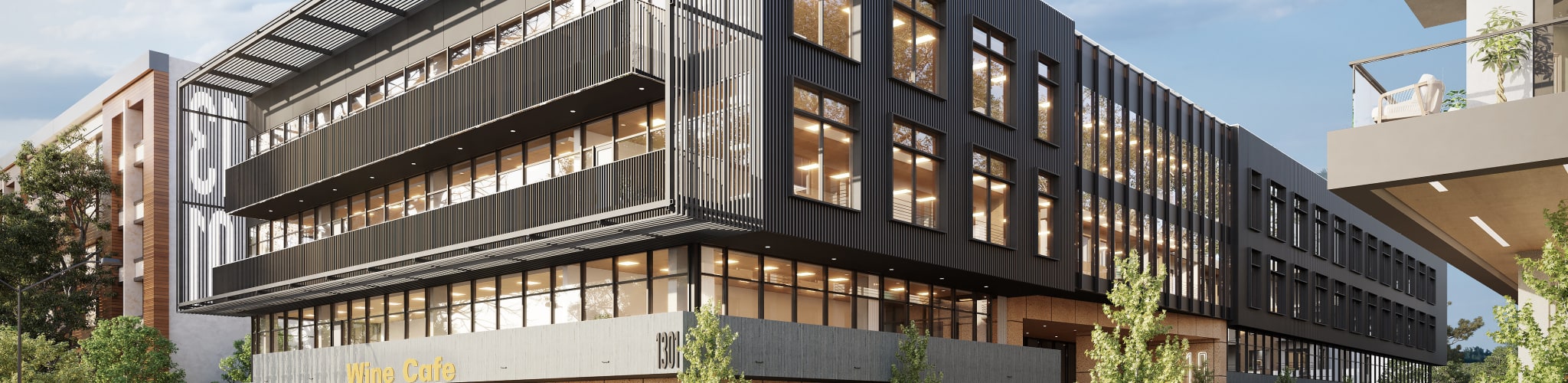
3D rendering is the process of turning a digital 3D model into a realistic image or animation. In architecture, it is used to show what a building, interior, or development will look like before it is built.
A rendering starts with a 3D model of the project. Materials, lighting, landscaping, furnishings, and environmental context are then added to create an image that communicates the finished design clearly and convincingly. Depending on the project, the final output may be a still image, an animation, a panoramic view, or interactive media.
For developers, architects, builders, and marketing teams, 3D rendering is a practical tool for design communication, approvals, investor presentations, and pre-sales marketing.
Cost and timeline at a glance: a professional architectural rendering typically costs $300–$3,000 per image and takes about a week to produce. See the 3D rendering pricing guide for a full 2026 breakdown by project type.
3D Rendering in Simple Terms
A simple way to think about 3D rendering is to imagine photographing something that does not exist yet.
First, a 3D artist builds the object or building digitally, much like a sculptor shaping clay. Then materials and colours are added, similar to painting the surface. Lighting is set up to create mood, depth, and realism. Finally, a virtual camera captures the scene and the software calculates how light interacts with the materials to produce the finished image.
In other words, 3D modeling creates the object, and 3D rendering creates the final picture.
What to Expect When Working with a 3D Rendering Company
Working with a professional rendering company should be a structured, collaborative process. Whether you are an architect, developer, builder, or marketing team, the process usually begins with a review of your plans, goals, timeline, and intended use for the images.
From there, the rendering team gathers the files needed to build the scene accurately, confirms camera angles and scope, prepares draft views for review, and then develops the final imagery through revision rounds. The best results come from clear inputs, timely feedback, and a shared understanding of what the images need to achieve.
At RealSpace3D, we use this process to create renderings for developers, architects, and builders across a wide range of residential and commercial projects.
Typical 3D Rendering Workflow
Project briefing
The process starts with a discussion of scope, timeline, audience, and intended use. This helps define the style of imagery required and the number of views needed.
File review and asset gathering
The rendering team reviews your plans, models, finish selections, and reference images to understand the project accurately.
3D modeling and clay views
A digital model is built or refined, and simple clay renders are created to confirm camera angles, composition, and major forms before detailed work begins.
Texturing, lighting, and detailing
Materials, lighting, landscaping, furnishings, and environmental context are added to create realistic draft images.
Revisions and refinement
Client feedback is incorporated to adjust materials, composition, detail, and mood. Consolidated feedback helps the process move more efficiently.
Final delivery
Once approved, final high-resolution images or animation files are delivered in the required format for print, digital marketing, presentations, or signage.
What Files You Need to Get Started
Most rendering projects start with architectural drawings, 3D models if available, material selections, and reference images. The exact mix depends on the project type.
- Architectural plans — floor plans, elevations, and sections in PDF or CAD format
- 3D models — if you already have a model from Revit, SketchUp, Rhino, or similar software, sharing it can reduce modeling time and improve accuracy
- Material and finish selections — exterior cladding, roofing, interior finishes, flooring, cabinetry, and fixtures where relevant
- Reference images — examples of the visual style, mood, or lighting you want the renderings to achieve
- Site context — photographs of the site, adjacent buildings, or civil engineering drawings for aerial and site plan views
A more complete brief usually leads to a faster and more accurate first draft, with fewer revision rounds.
How to Show Exterior Materials Clearly
The best way to communicate exterior materials is to provide clear visual and written references. Product links, finish schedules, manufacturer samples, precedent images, and marked-up drawings all help the rendering team match the intended look more accurately.
If exact finishes have not been selected yet, reference imagery showing the desired tone, texture, and level of contrast can still be very helpful. The clearer the material direction, the fewer revisions are usually needed later.
How to Choose Entourage for a Rendering
Entourage includes the people, furniture, vehicles, planting, and small scene elements that help a rendering feel believable and lived-in. The right entourage should support the architecture rather than distract from it.
For the best results, it helps to communicate who the space is for, how it will be used, and the overall tone you want the image to convey. A luxury residential development, for example, may call for different styling than a commercial office or public space.
Interior Design Details That Affect a Rendering
Interior renderings depend heavily on the quality and specificity of the information provided. The more clearly finishes, fixtures, furniture, and styling are defined, the more accurate and convincing the final image will be.
Common interior details that influence the result include:
- Finishes — flooring, wall treatments, ceiling materials, and trim
- Fixtures and fittings — lighting, plumbing fixtures, cabinetry, and hardware
- Furniture — specific pieces, styling, and placement
- Soft goods — rugs, drapery, bedding, and upholstery
- Accessories and styling — art, plants, books, and decorative objects
Providing a detailed interior brief upfront reduces the number of revision rounds and produces a more cohesive final image.
How Long Does a 3D Rendering Project Take?
The timeline for a 3D rendering project depends on scope, complexity, and the number of views required. A simple still image may take only a few business days, while larger architectural packages or animations can take several weeks.
Project duration is often affected by:
- The completeness of the files provided
- The complexity of the design
- The level of surrounding context or interior detail
- The number of revision rounds
- Any scope changes introduced during production
Clear input files and timely feedback usually have the biggest impact on keeping a project on schedule.
Contact Us - Let’s work together
We can’t wait to hear from you.
Get in Touch
- info@realspace3d.com
- Phone
- +1 (236) 998-4385
- Office
- 170-422 Richards Street
Vancouver, BC, Canada
V6B 2Z4
Trusted by developers across North America
Average turnaround: 2-3 weeks
Applications of 3D Rendering
3D rendering is used in many industries, but one of its most established commercial applications is architectural visualization, where it helps teams communicate design, support approvals, and market projects before construction begins.
Architectural Rendering
Architectural rendering is one of the most widely used applications of 3D rendering. It allows architects, developers, builders, and marketing teams to visualize and evaluate a project before construction, communicate design decisions clearly, and present polished imagery to buyers, investors, and reviewers.
Architectural renderings are used throughout the development lifecycle:
- Design communication — helping clients, consultants, and stakeholders understand a proposed design and make decisions with confidence
- Municipal approvals — supporting development applications, public consultation materials, and planning submissions
- Pre-sales marketing — driving buyer interest and deposits on projects that have not been built yet
- Investor and stakeholder presentations — communicating the quality and scope of a project to financial partners
- Sales centre displays and brochures — creating the visual assets that support on-site sales efforts
Common types of architectural rendering include exterior views, interior views, aerial and site plan renderings, 3D floor plans, animations and walkthroughs, 360-degree panoramas, and twilight or lifestyle-focused imagery. Each type serves a specific purpose in the development marketing and approvals process.
Other Applications of 3D Rendering
Although RealSpace focuses on architectural visualization, 3D rendering is also used in product design, film, animation, gaming, virtual reality, and training simulations. In each case, the goal is the same: to communicate ideas visually before they exist in the real world.
Explore Our 3D Rendering Services
Ready to bring your project to life? Explore our exterior rendering, interior rendering, and 3D animation services. For pricing details, see our 3D rendering pricing guide. We also offer specialized services for house rendering, commercial projects, and 3D floor plans.
Frequently Asked Questions About 3D Rendering
What is 3D rendering in simple terms?
3D rendering is the process of creating a photorealistic image from a digital 3D model. Think of it as photographing a building that has not been built yet. An artist builds the structure digitally, adds materials, lighting, and landscaping, and the software produces a realistic image that shows what the finished project will look like.
How long does 3D rendering take?
A single architectural rendering typically takes 5 to 10 business days from project kickoff to final delivery. This includes initial modeling, clay renders for camera approval, texturing, and revision rounds. Multi-image projects usually take 2 to 3 weeks. Animations take longer, often 3 to 6 weeks depending on length and complexity.
How much does a 3D rendering cost?
Costs vary depending on project type, complexity, level of detail, and turnaround requirements. For a more detailed breakdown of pricing factors, visit our 3D rendering pricing guide.
What is the difference between 3D rendering and 3D modeling?
3D modeling is the process of building the digital geometry — the shape of the building, the walls, the roof, the windows. 3D rendering is the step that comes after, where materials, lighting, and environment are applied and the software generates a photorealistic image. Modeling creates the structure; rendering makes it look real.
What software is used for 3D rendering?
Architectural visualization studios typically use a combination of modeling and rendering tools. Common modeling software includes 3ds Max, SketchUp, Revit, Rhino, and Blender, while rendering is often done with tools like V-Ray, Corona Renderer, Lumion, or Enscape. The exact workflow varies by studio and project type.
What files are needed to start a 3D rendering project?
Most rendering projects start with architectural plans in PDF or CAD format, 3D models if available, material and finish specifications, and reference images showing the desired style and mood. The more complete the initial brief, the faster and more accurate the first draft will be.
What industries use 3D rendering?
3D rendering is used across many industries including architecture, real estate development, interior design, product design, film and visual effects, gaming, and urban planning. In architecture and real estate, it is used primarily for pre-sales marketing, design communication, municipal approvals, and investor presentations.
Can 3D renderings be used for building permits?
Yes. Architectural renderings are commonly included in development applications and permit submissions to help review boards visualize the proposed project. Aerial and context views are especially useful for showing how a project relates to neighbouring properties and the existing streetscape.